What is Sitemesh 3D and how does it empower CCTV designs for home owners, businesses, and installers?
Sitemesh 3D is a visual designer to assist with designing survelliance systems for homes, businesses, car parks, recreation areas, roads and pathways. Sitemesh 3D utilises Google APIs to provide 3D and 2D maps for accurately placing CCTV cameras on existing structures or planned developments thereby providing real-world installation overview.
Sitemesh 3D allows the designer to work with any camera by entering the cameras characteristics, or choose from our library of published camera makes and models (paid)
How does it work?
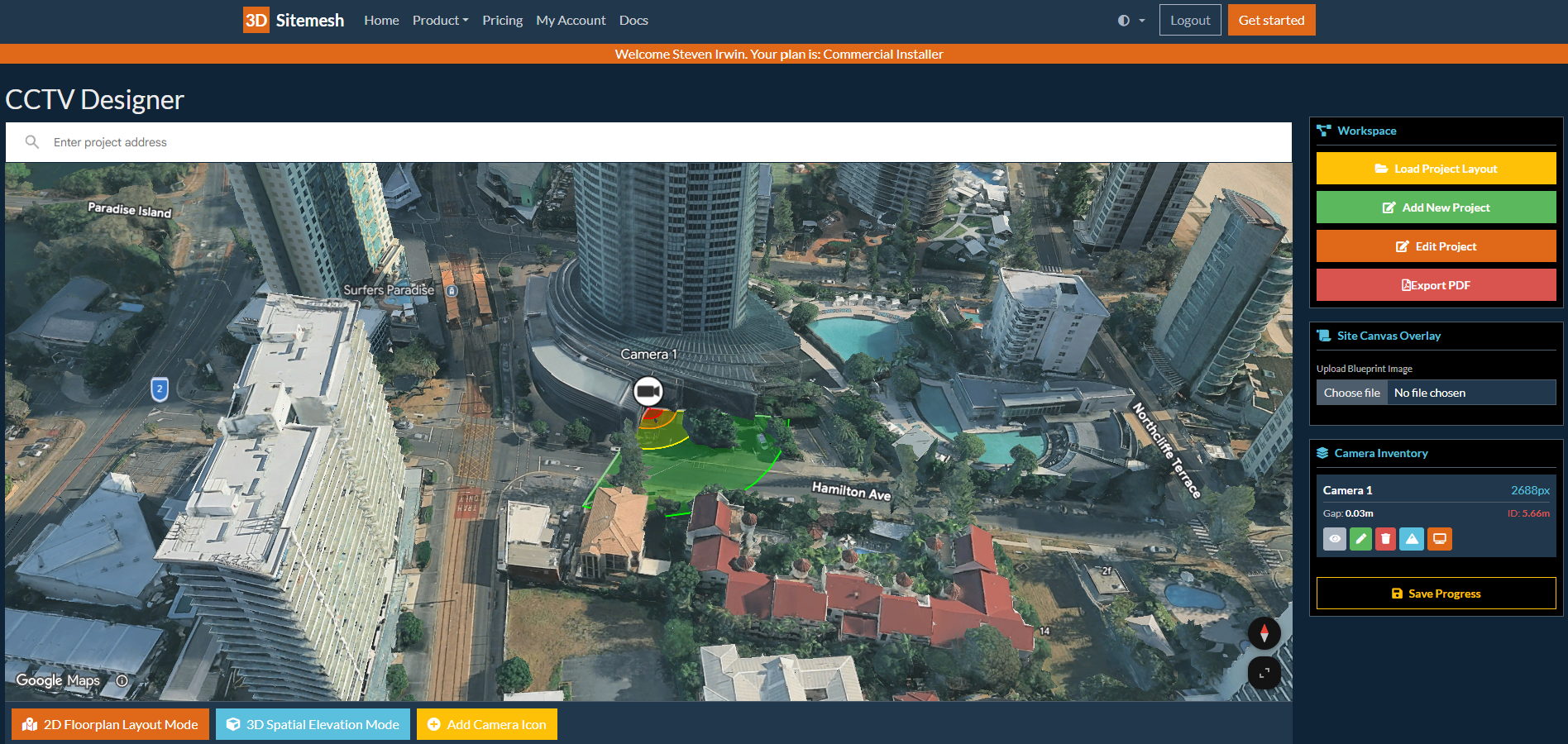
Sitemesh 3D allows the designer to locate their property in Google Maps. The property is displayed with a 3D data model showing heights and shapes of buildings and structures as well as trees, and terrain.
The designer can then place a camera on the structure and configure the camera characteristics including bearing, tilt, any additional mounting height changes, to accurately show the camera field of view. The camera characteristics are used to define Detect, Observe, Recognise, and Identify regions (DORI) as well as Infra Red illumination range on the map providing an accurate depiction of the camera performance.
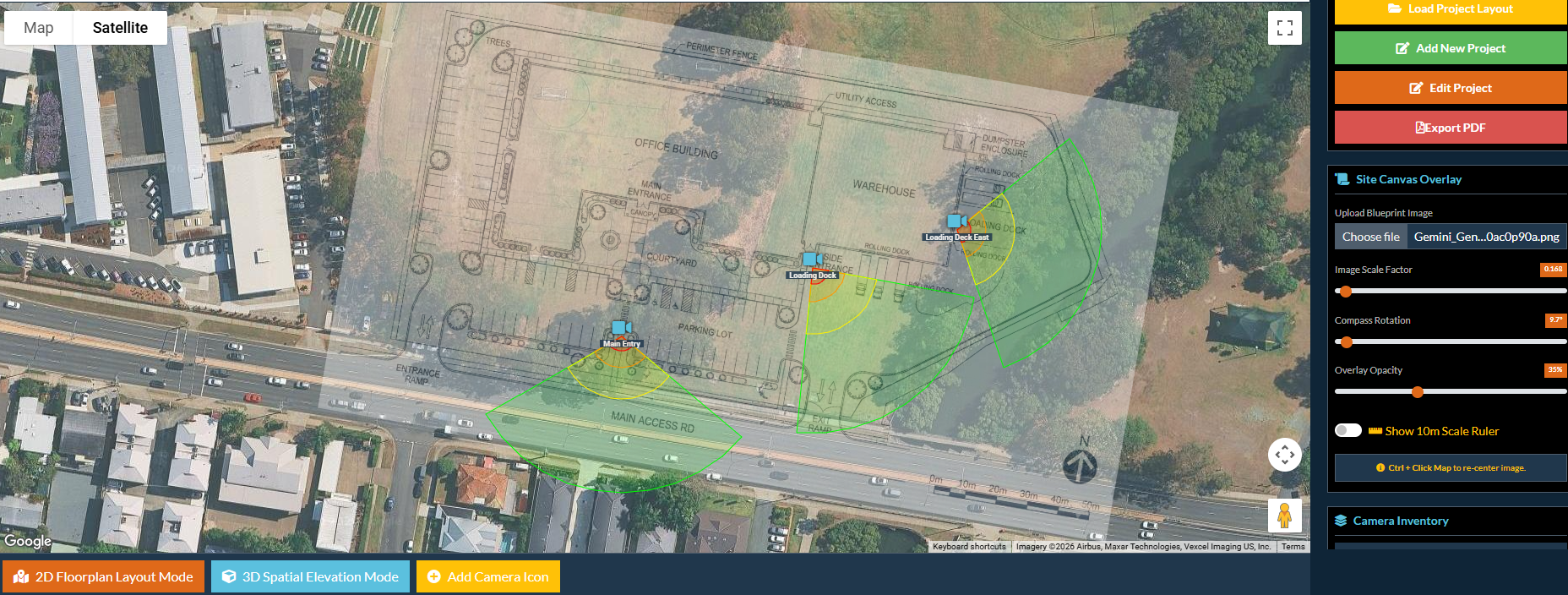
New buildings can be added by uploading and positioning the building plan enabling camera layout on a greenfield site. Plan upload is performed on a 2D Google map and cameras are then placed. The plan can be rotated and scaled with a 10m scale block. The designer can then switch to the 3D map and adjust heights to match the proposed build. Note that the plan will only be visible on the 2D map but cameras when placed will be visible and adjustable on both views.
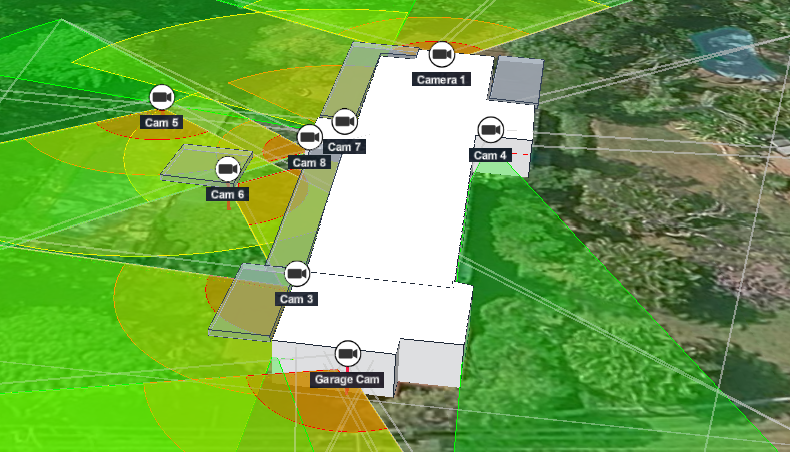
Alternatively we have now added a CAD Map to the available maps which allows you to draw a 3D structure on a 2D map. The building or structure is drawn from solid boxes or elevated panels (verandah, carport etc) and cameras can be placed in 3D on these structures. The structures block the camera field of view in a realistic way emulating real world deployment. When switching back to 3D the cameras float in space at the mounted height.
What is DORI?
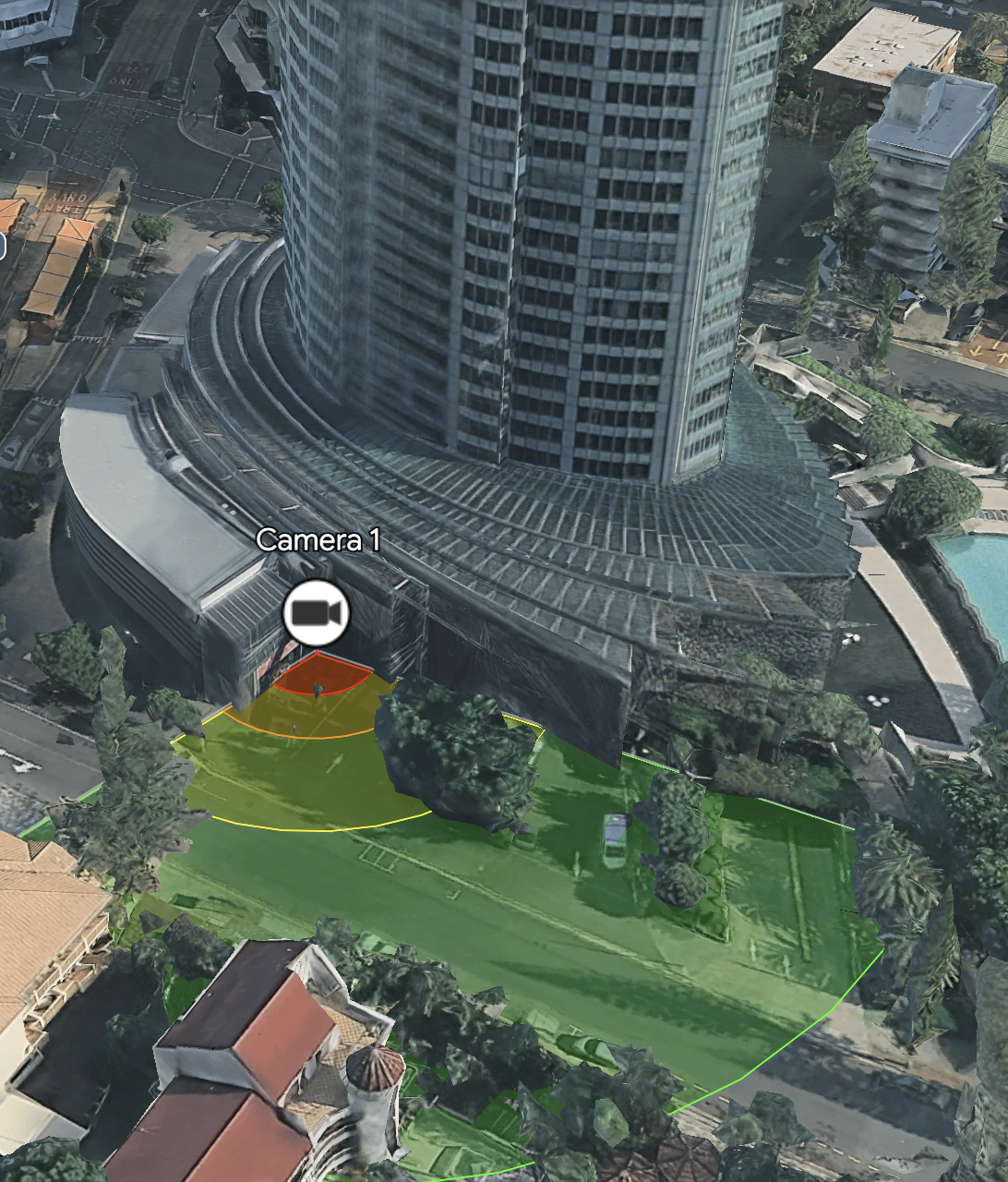
DORI stands for Detect Observe Recognise Identify and defines the distance for each for a particular camera. Essentially it defines the distance from the camera (straight line from the camera to the target) where you will detect a person, observe a person, recognise a person, or identify a person.
Technically DORI is defined as a “general proximity” of distance based on sensor specification and lab test result according to EN 62676-4 which defines the criteria for Detect, Observe, Recognize and Identify respectively.
DORI is important when designing surveillance systems as it details the visual performance of the camera and defines the evidence that will be obtained for law enforcement purposes.
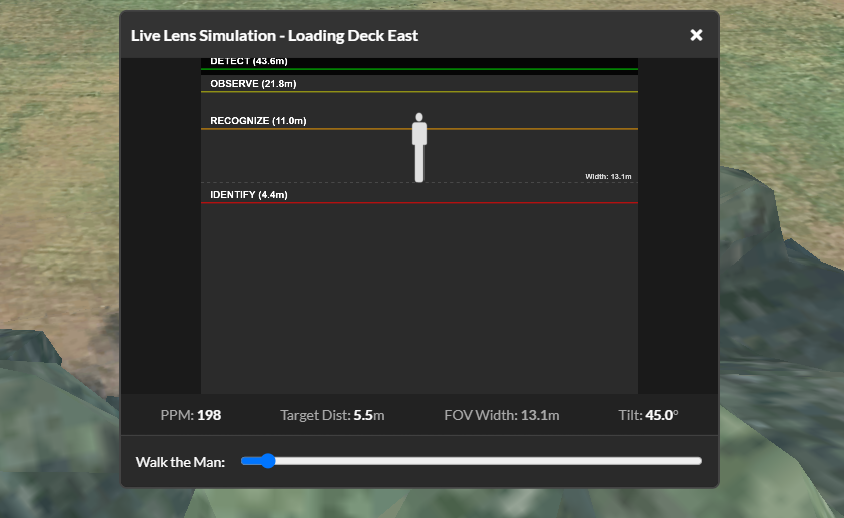
Sitemesh 3D accurately shows the camera DORI regions based on the target height setting, the camera characteristics, the height of installation and the tilt of the lens. A built in simulator provides a represenative image depicting image clarity as the distance is adjusted.
Are there different access levels to use Sitemesh 3D?
There are 3 different plans based on resource usage:
Free: This is a 14 day free trial and is limited to 1 project with up to 4 generic cameras. The camera list is generic but almost any camera can be simulated through the individual settings. The Free plan allows you to trial the system and see if it fits your requirements. Note it does not include the PDF report feature.
Project: The Project plan includes up to 2 projects of 24 cameras each. The camera database is available as are PDF reports. The Project plan is ideal for home or business owners who want to design a CCTV system for their home or business.
Commercial: The Commercial plan includes everything in the Project plan but it has unlimited projects and cameras. It also includes PDF reports in a white label form so that Commercial users can prepare reports for customers.
Commercial Team: These plans are an add-on to the Commercial plan. Commercial Team members can work on any project belonging to the Commercial plan and become part of a Team. Commercial Team licenses are restricted to working on projects belonging to the Commercial Team only.
Please see our pricing page for a cost breakdown for each plan.
How to start?
Please create a Free account by clicking on the Get started button above. Your email address is your user name so please use an address that is current.
Whem you have created your account please login and you will be taken to your account page.
You may edit your profile, upgrade to Project, or upgrade to Commercial from your account page.
To use the system you must be logged in and either have a 14 day trial plan or a paid plan, with available token resources. You can see your resources remaining on your account page.